http://www.iconico.com/download.aspx?app=Caliper
The accurate way to measure on a screen, at any angle in pixels, inches or any unit.
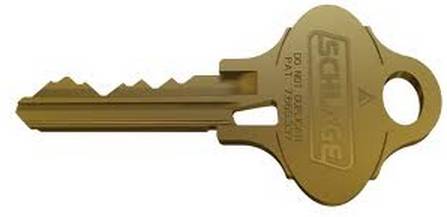
Load a photo of a key.
The FREE version of the Screen Calipers program will not allow you to rotate the tool vertically.
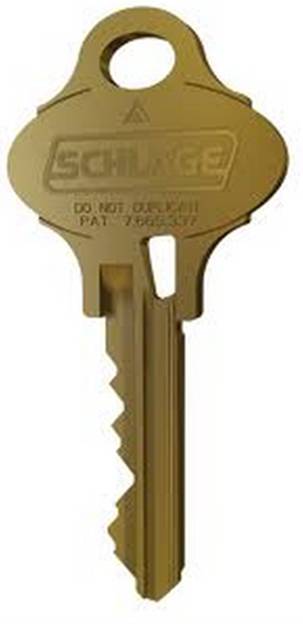
So rotate your key image if necessary – and enlarge it for more accurate readings:
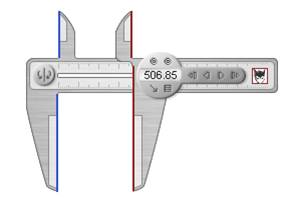
To calibrate the calipers for our key, we first measure a known distance (Schlage shoulder is ½”, or 500 thousandths).
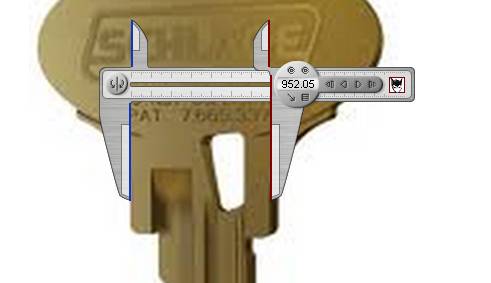
First set the calipers on the key shoulder:
Click on the menu and set the units – I use Pixels:
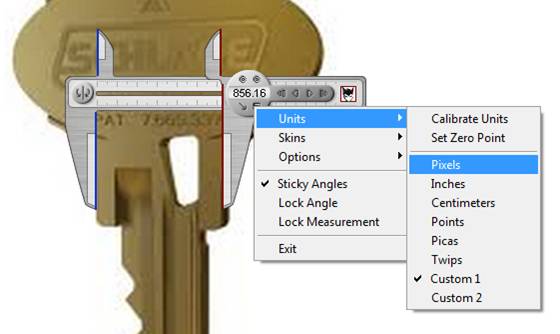
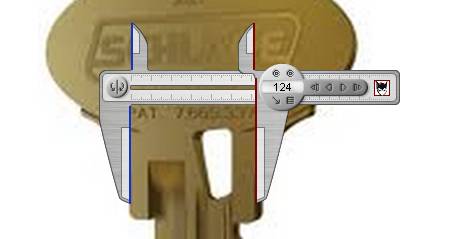
The shoulder here is 124 Pixels:
Select Units / Calibrate
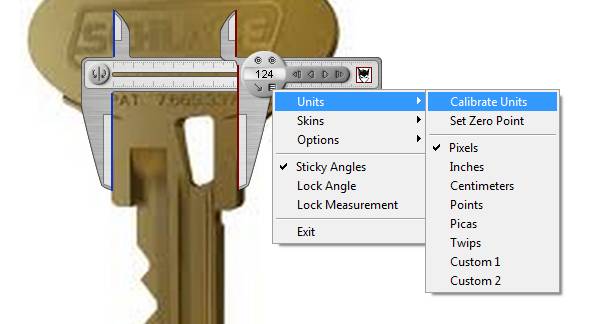
Set “Custom 1” Number of Pixels to 124 and the Length in Units to 500 then click Ok:
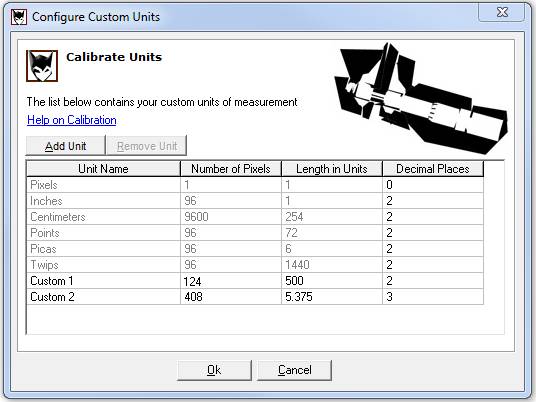
The shoulder reading should now show 500 for 500 thousandths.
Note: I use two decimal places to allow me to round the results.

Now we can measure the depth of the key cuts and record the results.
Do this Bow-to-Tip:
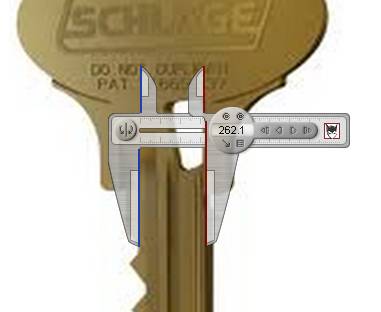
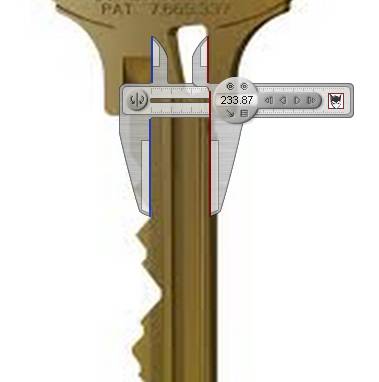
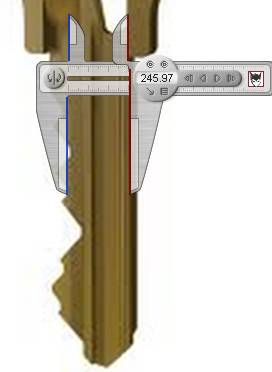
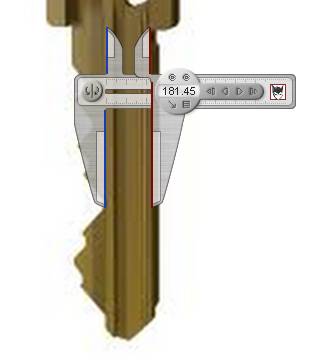
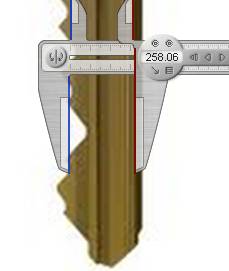
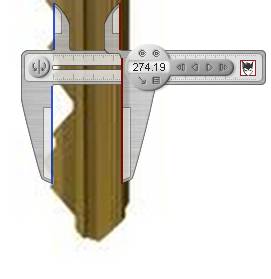
Here are the depths (rounded) for our six cuts:
262
234
246
181
258
274
We can convert these depths to key cuts manually:
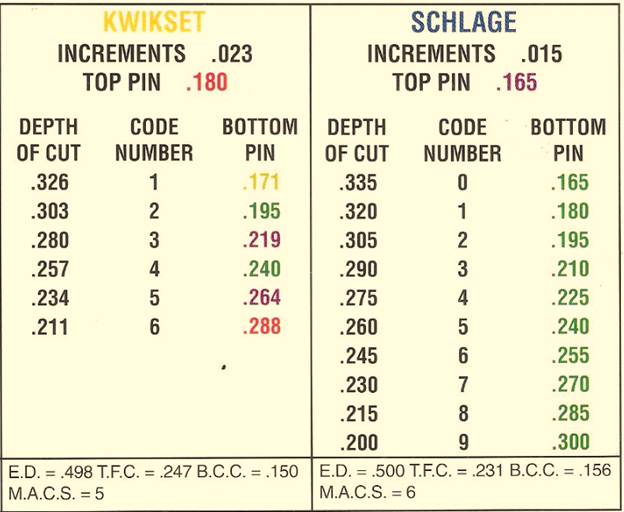
Here are the Depths (rounded) converted to Key Codes:
262 = 5
234 = 7
246 = 6
181 = 9
258 = 5
274 = 4
These codes can be used to cut a new key on a standard code machine…
or on a duplicator with depth and space keys… or copy the depths on a duplicator with a micrometer, or…
… we can enter the depths or codes into a 3D Key program and it will convert the depths to the nearset codes for you
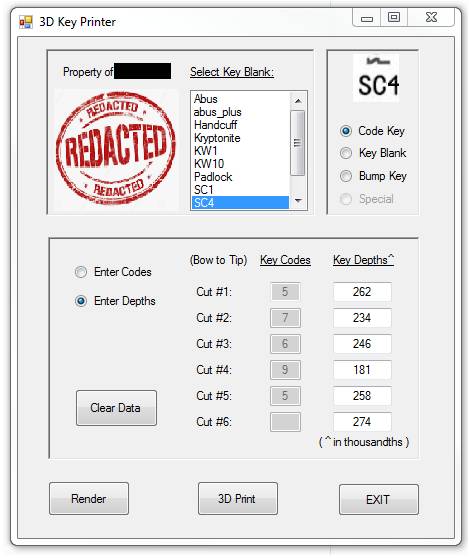
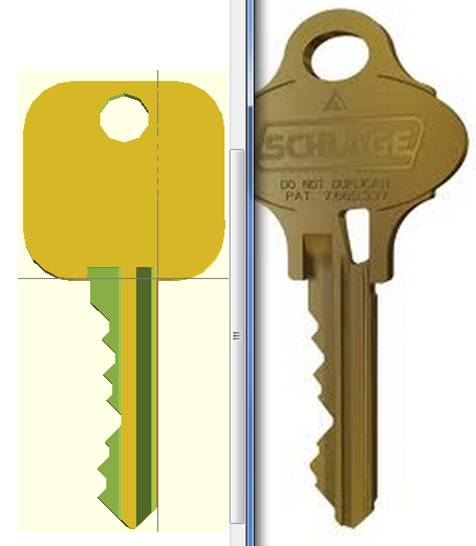
Here’s our key rendered in an open source CAD program OpenSCAD.
Compare it to our original:
Here’s a key we actually decoded and printed on a 3D printer:
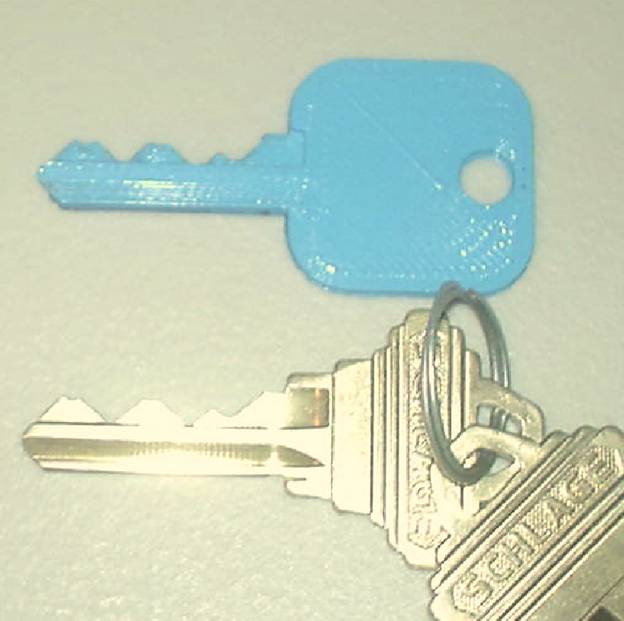
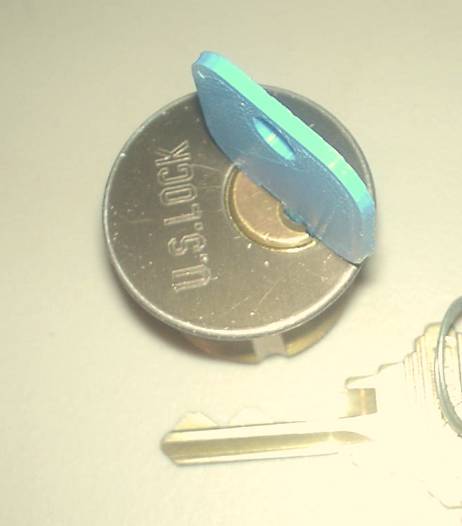
This key worked the first time we tried it!
3DKeys is a functional prototype written by Ed Sellers and out on GitHub for your experimentation.